Registering and Logging In at the Institution or University Level
There are several ways to register an account to access our films based on what type of user you will be.
On the login page of our streaming portal you will see:
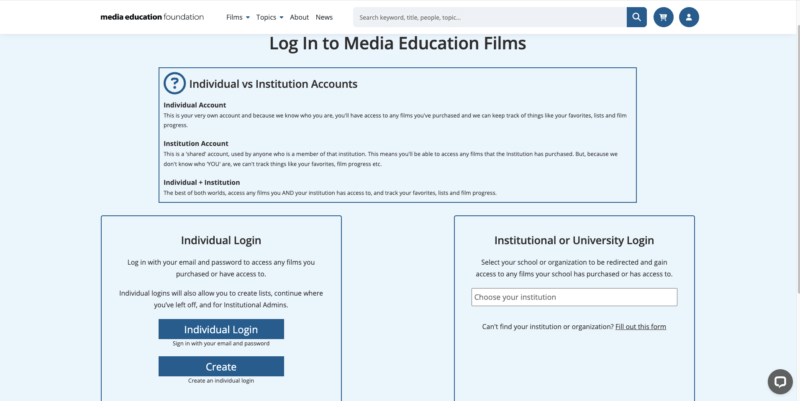
Begin a search on the right hand side of the page to navigate at the Institutional or University Login level.
If you want to access your account at the Individual level simultaneously, you can follow the steps on this page to create your individual account as well.
This will allow you to access any films you AND your institution have access to, track your favorites, create lists, and film watching progress.
Head to this page to learn more about how individual accounts allow users to customize their profile.
Begin by using the search bar to look for your Institution.
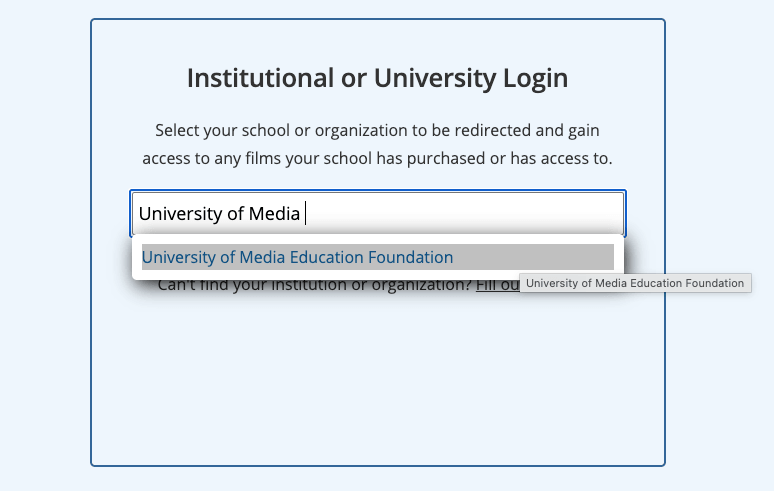
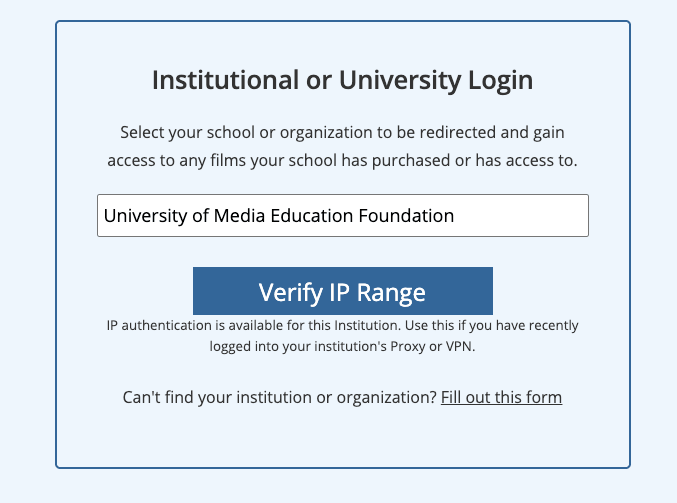
When you select the proper institution after it comes up you will see the screen prompt you to “Verify IP Range”.
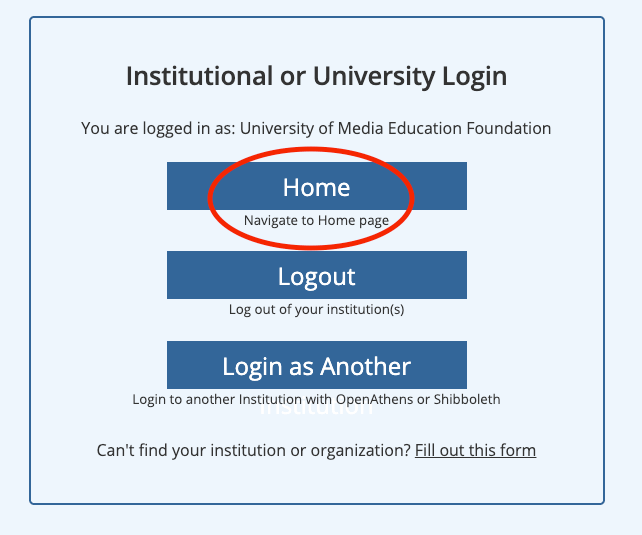
You will be brought back to this page if you were able to login at the Institutional Level. You will see that the circled “Logout” button indicates that you are now logged in.
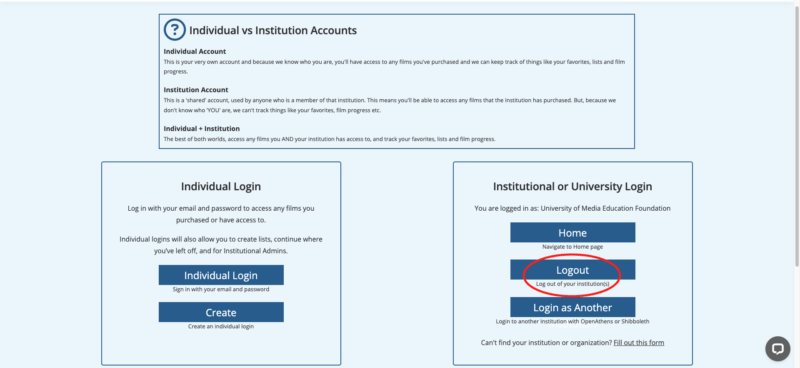
You can now select the Home button which will bring you to our catalog to browse our films and utilize your account.
If you can’t find your institution:
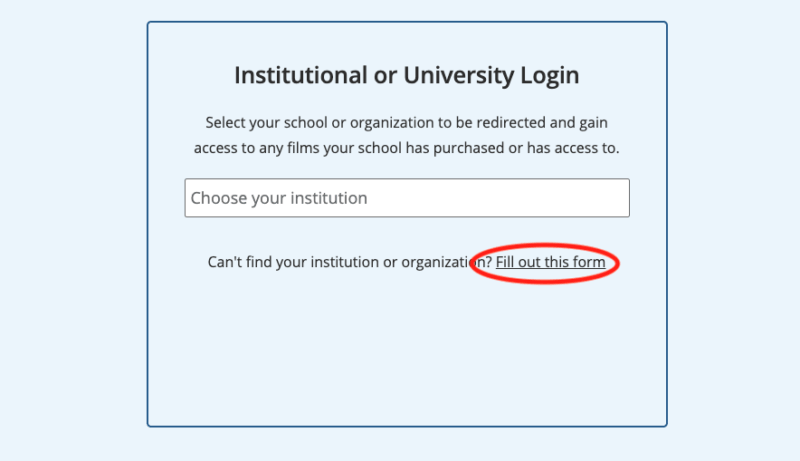
Click the circled Fill out this form link circled below.
You will be brought to this registration page.
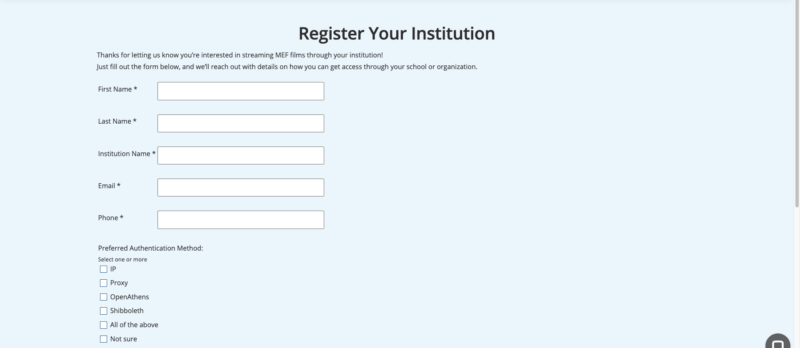
On the bottom of the registration page, you will find some troubleshooting notes. If none of the tips logged you into your institution’s account, please fill out the registration form and you will be reached out to.
Still Need Help?
Please don’t hesitate to get in touch with us via phone, chat, or email for assistance. We’re happy to help with questions big or small!
Email: [email protected] | Phone: 413-584-8500