Entity ID and Scope Value Set-up
How to update your Institution’s account’s Entity ID through the Access Manager
This set-up process allows students and staff the ability to access the film(s) off campus through an institution’s Single Sign On authentication system. Our platform supports OpenAthens and Shibboleth. Off campus users will gain access through the same process of authenticating themselves by signing on with their credentials, just as they would with other institutional platforms.
Step 1.) Begin by logging into your admin dashboard
To learn more about how to login to your admin dashboard start here: https://www.mediaed.org/knowledge-base/logging-into-your-admin-dashboard/
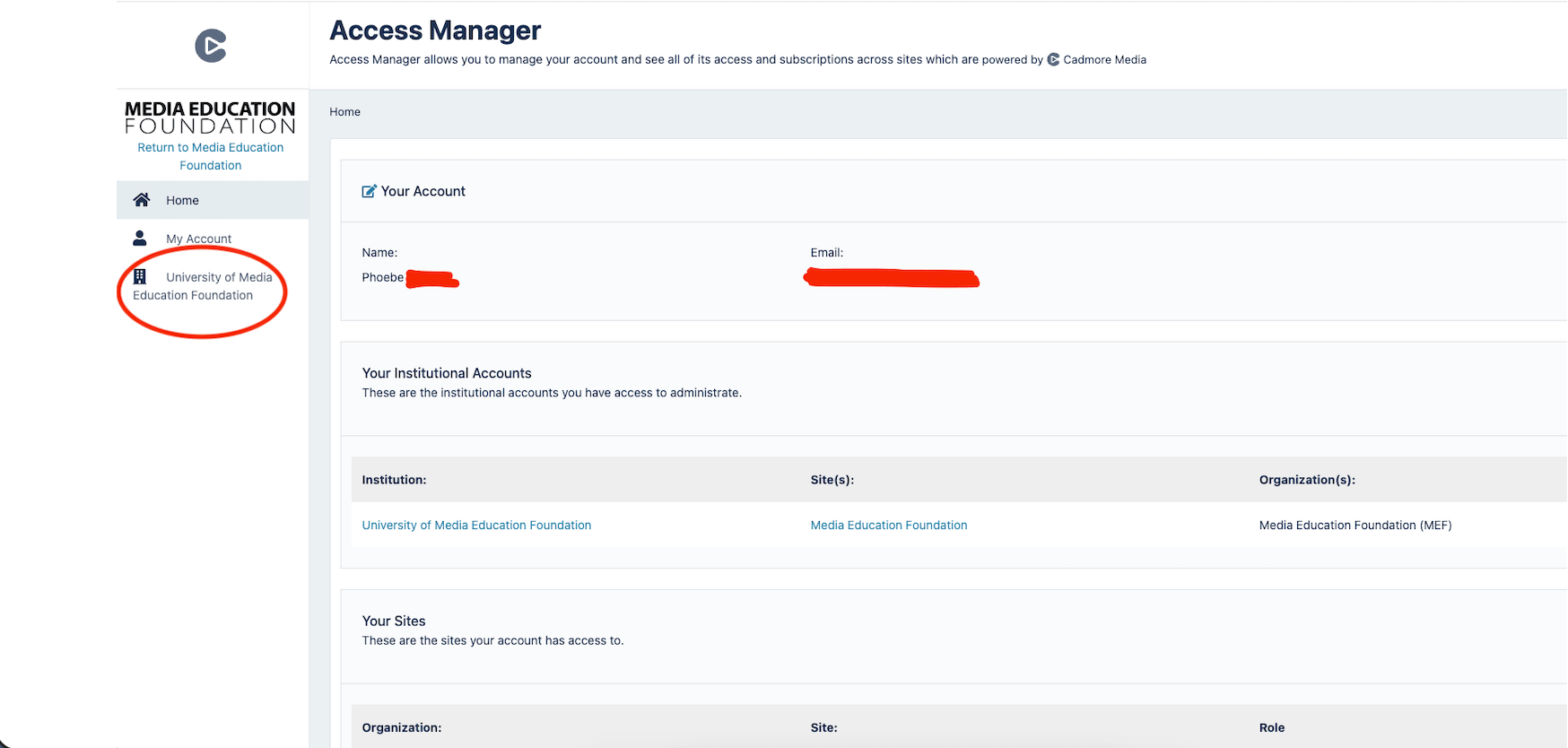
Step 2.) Once you’re at the admin dashboard, your homepage should resemble the helpful screenshot below.
On the left side of this page you will see a tab under “My Account” that will have your Institution Name. Click on the institution name. In this example, the name is the University of Media Education Foundation.
Step 3.) Once you are on your institutions page scroll down the page until you see ”Authentication” under “Institution Account”
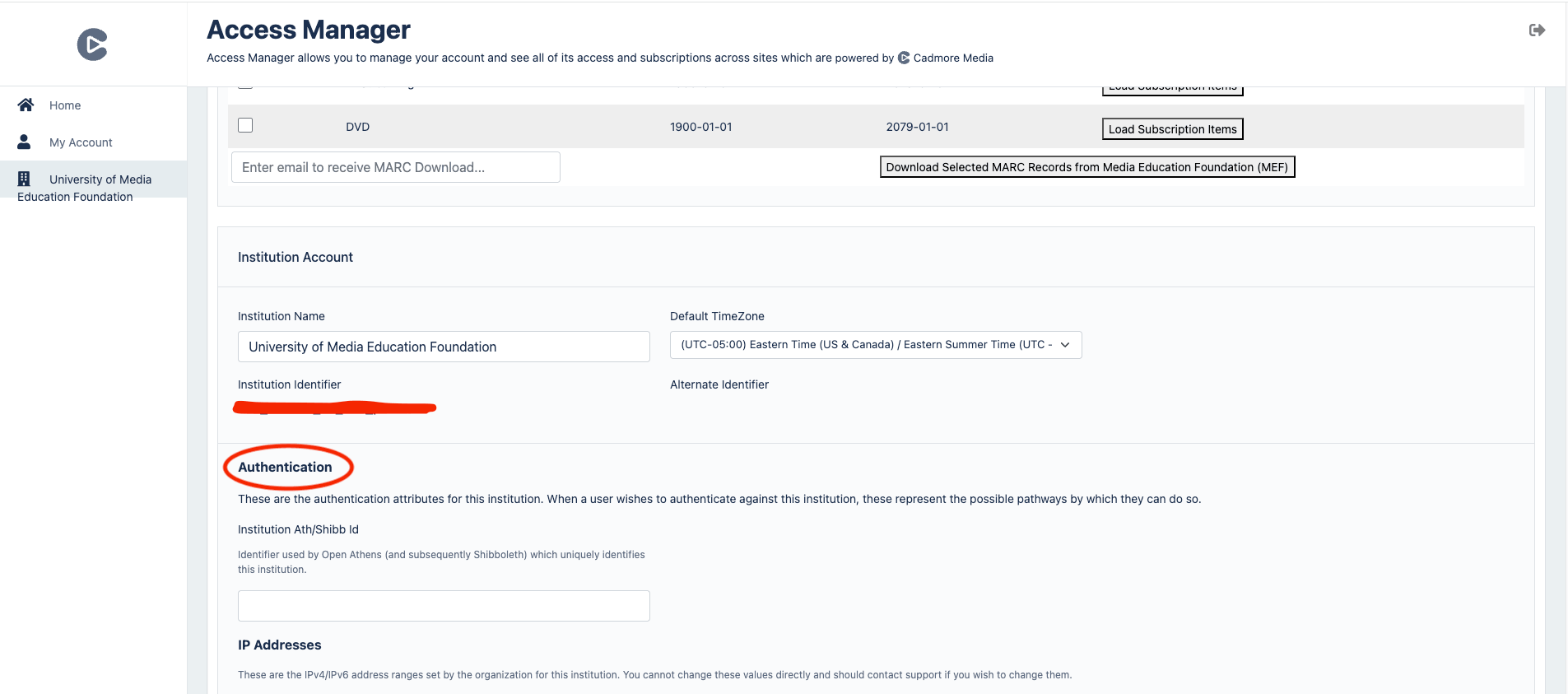
Step 4.) Add your entity id credentials in the circled field below.
The identifier should look something like this:
https://login.(Name_of_institution).edu/idp/shibboleth
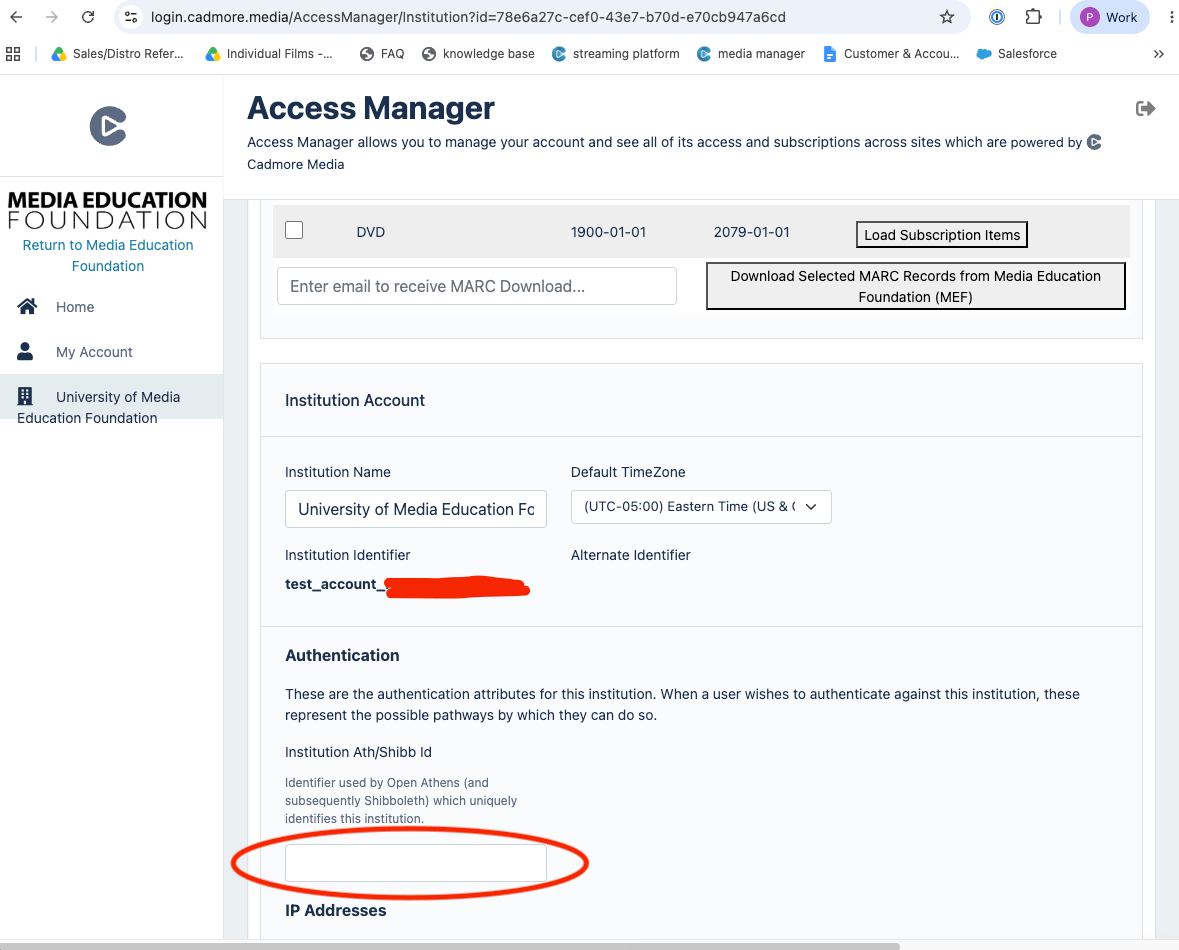
Step 5.) The authentication pathways should be now available to institutional users off campus.
How to add a scope value to an account
If you want to add a scope value to an account you may, in the same field as above. This set-up process is only helpful if you want to give access to a group of users in a given location, versus giving full institution-wide access.
Step 1.) You add to the scope by providing a semi-colon after the original string of credentials. For example it could look like: https://test-idp.ukfederation.org.uk/idp/shibboleth;test.ukfederation.org.uk.
(The bolded part is the scope value.)
Step 2.) The authentication pathways should be now available to your location specific institutional users.
Still Need Help?
Please don’t hesitate to get in touch with us via phone, chat, or email for assistance. We’re happy to help with questions big or small!
Email: [email protected] | Phone: 413-584-8500